Video by iZotope, Inc. via YouTube
Source
View iZotope, Inc. on Plugin Boutique
Bring the legendary sound of Harrison's analog heritage into your DAW with the 32Classic Channel Strip. This comprehensive plugin emulates the iconic Harrison 32Classic console, featuring a musical four-band parametric EQ, famous ultra-wide filters, and a versatile dynamics section with three compression modes. With the addition of a Jensen transformer-modeled "Drive" control for warm harmonic saturation, it provides the same professional workflow and sonic character used on some of the world's most influential records.
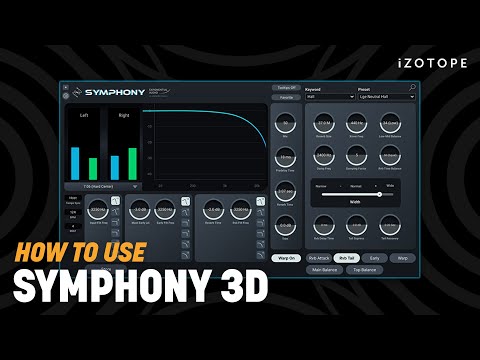
Learn how get lush, colorful reverb with the 24-channel Symphony 3D reverb plug-in by Exponential Audio, bringing rich modulation and dynamics effects to any surround music or post production.
In this video, explore the brand new interface, learn how to manipulate reverb presets, and take a closer look at Reverb Tail and Early Reflections.
Get Symphony 3D by Exponential Audio:
https://www.izotope.com/en/shop/exponential-audio-symphony-3d.html?utm_medium=Video&utm_source=YouTube&utm_campaign=symphony-3d-refresh&utm_content=Organic-Social&utm_term=Sam-Loose
Explore iZotope Music Production Suite with Symphony 3D included: https://www.izotope.com/en/shop/music-production-suite-5.html?utm_medium=Video&utm_source=YouTube&utm_campaign=symphony-3d-refresh&utm_content=Organic-Social&utm_term=Sam-Loose
00:00 Intro
00:40 New interface
01:37 Presets menu
02:38 Reverb Tail and Early Reflections
#iZotope #mixing #reverb