Video by Waves Audio via YouTube
Source
Bring the legendary sound of Harrison's analog heritage into your DAW with the 32Classic Channel Strip. This comprehensive plugin emulates the iconic Harrison 32Classic console, featuring a musical four-band parametric EQ, famous ultra-wide filters, and a versatile dynamics section with three compression modes. With the addition of a Jensen transformer-modeled "Drive" control for warm harmonic saturation, it provides the same professional workflow and sonic character used on some of the world's most influential records.
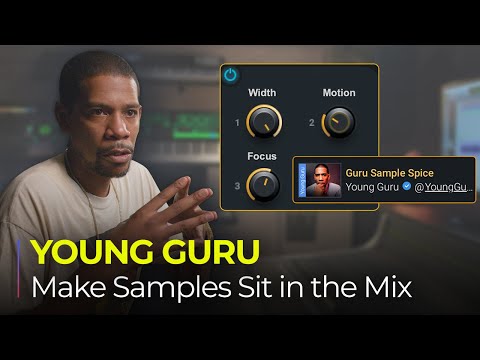
Got a great sample, but not happy with how it’s sitting in the mix? Need to help it fit better with the lead vocal, or with the drums? Grammy-winning mixer Young Guru (Jay Z, Beyoncé) shows you how to easily tweak the sample’s sound and manipulate different instruments within it, when you only have the finished sample, loop or 2-track—using his Guru Sample Spice plugin chain in Waves StudioVerse.
Learn more about Waves StudioVerse: https://www.waves.com/studioverse/about
Check out Young Guru’s Sample Spice plugin chain: https://www.waves.com/studioverse/chain/93184031-e510-421d-873c-064237b72b11
See more Young Guru StudioVerse plugin chains: https://www.waves.com/studioverse/creator/youngguru763
0:00 Intro
0:37 Why you might need to manipulate the original sample
1:44 Guru Sample Splice – the plugin chain
3:03 Tweaking the low end
5:13 Adding drive, excitement, and high-end modulation
9:56 De-essing with multiband and parallel processing splits
11:11 Young Guru’s macros: How to tweak the chain easily with 3 macros
Subscribe to our YouTube channel: https://rebrand.ly/wavessubyt
Follow us on Social Media:
Instagram: https://rebrand.ly/wavesig
Facebook: https://rebrand.ly/wavesfb
Twitter: https://rebrand.ly/wavestw
Linkedin: https://rebrand.ly/waveslnkd
Telegram: https://rebrand.ly/wavestl
Visit our website: https://rebrand.ly/wavesaudio


