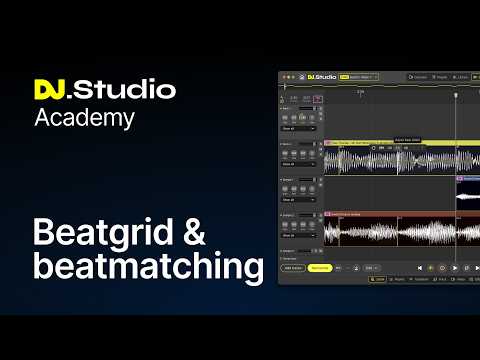
In this DJ.Studio Academy tutorial, Midtown Jack explains how beat grids, quantization, and beatmatching work inside DJ.Studio and how to use them to keep your transitions tight, your samples locked, and your mixes sounding clean. This video follows on from our previous Academy lesson on controlling BPM and tempo in DJ.Studio. Now that you understand how tempo works across your mix, it’s time to look at the second half of the beatmatching puzzle: getting tracks aligned correctly on the beat grid. Whether you’re working with modern electronic tracks, older disco songs, live recordings, mashups, or tracks with drifting tempo, DJ.Studio gives you tools that go far beyond standard DJ software. In this video, you’ll learn: * How beat grids work in DJ.Studio * Why beat grid alignment matters for smooth beatmatching * How to fix tracks with incorrect BPM detection * The difference between Fixed, Manual, and Rekordbox beat grid modes * How to adjust beat grid markers and timing * How AI Beat Grid handles tracks with groove and subtle tempo drift * How AI Flex Beat Grid handles tracks with major tempo changes * How Quantize keeps edits and timing locked to the grid * How Stabilize Tempo can help create DJ edits for live use * How to work more confidently with difficult songs in mixes and mashups Common beat grid problems this video helps solve: * BPM detected at double time or half time * The start of the track is aligned incorrectly * Beat grids drifting out of sync later in the song * Older disco, funk, or acoustic tracks with variable timing * Understanding the difference between changing BPM in the Track tab and adjusting timing in the beat grid * Avoiding workflow mistakes when correcting beat grids inside a mix project Watch next: If you haven’t seen the previous video yet, check out our lesson on BPM and Tempo Lane control in DJ.Studio, it pairs directly with this one. Timestamps: 00:00:00 Intro 00:00:35 Beat Grid Modes 00:04:45 Beat Grid Toolbar 00:06:41 AI Beat Grids 00:11:43 Stabilize Tempo 00:14:11 Wrapping Up Try DJ.Studio: https://dj.studio/ Subscribe for more DJ.Studio Academy tutorials, mix workflow tips, and advanced DJ editing techniques. 👉 Download DJ.Studio: https://dj.studio Create DJ mixes faster — without performing live. DJ.Studio is an offline DJ mixing tool that helps you build harmonic, professional DJ mixes with precision and control. Import your tracks, arrange them visually, refine transitions, and export a finished mix — all without standing behind decks. Designed for modern DJ workflows DJ.Studio integrates with tools you already use, including rekordbox, Serato, Mixed In Key and Ableton Live. Import tracks with beat grids, cue points and key data intact, then focus on structure and flow instead of technical setup. From idea to finished mix Add your tracks from your music library, harmonize your playlist for the perfect set order, then fine-tune transitions with EQ, effects and even stem separation exactly the way you want. Export your mix as a high-quality audio file, with tracklist included — ready for Mixcloud, YouTube, radio or further production. For DJs at any stage Whether you’re preparing DJ sets, planning radio shows, creating long-form mixes or mashups, DJ.Studio helps you work faster and stay in control. Hit subscribe to get notified of more videos like this, or follow DJ.Studio on our other social channels to stay up to date: Facebook: https://www.facebook.com/DJStudioApp Instagram: https://www.instagram.com/djstudio_app Reddit: https://www.reddit.com/r/djstudio/ Twitter: https://twitter.com/DJstudio_app LinkedIn: https://nl.linkedin.com/company/djstudioapp
Sponsored:
Revolutionize your mixing workflow with DJ.STUDIO Pro Edition, the ultimate DAW designed specifically for DJs. Forget time-consuming live recordings; this powerful timeline-based software allows you to craft seamless, professional-grade mixes with unparalleled speed using AI-driven automixing and precise transition editing. Compatible with major libraries like rekordbox and Serato, it’s the perfect tool for creating radio shows and video mixes. Master your sound today: Explore DJ.STUDIO Pro Edition here.


