Video by iZotope, Inc. via YouTube
Source
View iZotope, Inc. on Plugin Boutique
Elevate your mixing workflow with the SSL autoSeries Bundle, a powerhouse collection of Solid State Logic’s most intuitive processors. Featuring the acclaimed Vocalstrip 2 and Drumstrip, this bundle provides the essential tools to achieve professional-grade clarity and punch with legendary SSL sonic character.
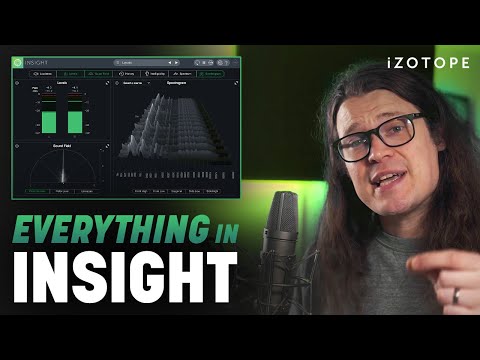
Learn how to use everything in iZotope Insight 2, the intelligent metering plug-in for music and post production that can give you the best understanding of your audio content. In this deep-dive, we’re focused on teaching you how to use Insight’s metering capabilities for mixing and mastering work.
Explore industry-standard loudness profiles and level analysis, view your sound in responsive spectrograms to monitor the spectral content of your mix, and use interplug-in communication to truly understand what is happening in your mix in regards to stereo, phase, and frequency content.
Whether you have Insight 2 and haven’t opened it or you’ve only been using it for a short time and aren’t aware of all the features and functionality it has to offer, this video is for you.
Explore iZotope Insight 2: https://www.izotope.com/en/products/insight.html?utm_source=youtube&utm_medium=social&utm_campaign=how_to_use_everything_in_izotope_insight
Discover even more iZotope Insight tips and tutorials: https://www.izotope.com/en/learn/products/insight.html?utm_source=youtube&utm_medium=social&utm_campaign=how_to_use_everything_in_izotope_insight
Learn more about loudness metering in our mastering video series: https://www.youtube.com/watch?v=HgMm27PG4Fw?utm_source=youtube&utm_medium=social&utm_campaign=how_to_use_everything_in_izotope_insight
How to use everything in RX for music: https://www.izotope.com/en/learn/products/rx.html?utm_source=youtube&utm_medium=social&utm_campaign=how_to_use_everything_in_izotope_insight
How to use everything in Neutron: https://www.izotope.com/en/learn/products/neutron.html?utm_source=youtube&utm_medium=social&utm_campaign=how_to_use_everything_in_izotope_insight
How to use everything in Nectar: https://www.izotope.com/en/learn/products/nectar.html?utm_source=youtube&utm_medium=social&utm_campaign=how_to_use_everything_in_izotope_insight
How to use everything in Ozone: https://www.izotope.com/en/learn/products/ozone.html?utm_source=youtube&utm_medium=social&utm_campaign=how_to_use_everything_in_izotope_insight
Chapters
00:00 – Intro
01:31 – UI Overview
06:37 – Understanding the meters
07:25 – Levels module
09:05 – Loudness module
15:20 – Soundfield module
25:02 – History module
29:40 – Interpreting Insight’s metering
30:30 – Spectrum module
35:12 – Spectrogram module
43:02 – Outro
#iZotope #Mixing #musicproducer
MB01OJDGNPFOLO9


