Video by FL STUDIO by Image-Line Software via YouTube
Source
View FL STUDIO by Image-Line Software on Plugin Boutique
Bring the legendary sound of Harrison's analog heritage into your DAW with the 32Classic Channel Strip. This comprehensive plugin emulates the iconic Harrison 32Classic console, featuring a musical four-band parametric EQ, famous ultra-wide filters, and a versatile dynamics section with three compression modes. With the addition of a Jensen transformer-modeled "Drive" control for warm harmonic saturation, it provides the same professional workflow and sonic character used on some of the world's most influential records.
TRY FL STUDIO [Time Unlimited] – https://support.image-line.com/redirect/TRY_FL_STUDIO
BUY FL STUDIO [Get Lifetime Free Updates] – https://support.image-line.com/redirect/BUY_FL_STUDIO
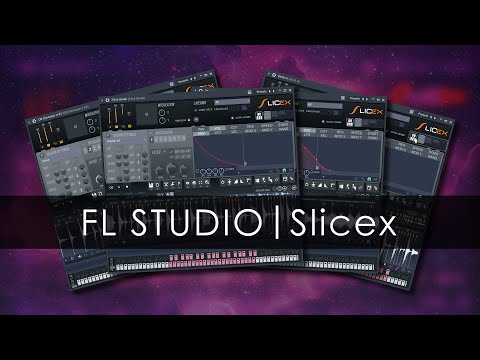
00:00 Introduction
00:30 Basic Functions
01:12 Basic Functions | Markers & Regions
04:17 View Options
05:28 Basic Functions | Marker Names
06:00 Basic Functions | Articulation Panel
08:47 Basic Functions | Editing Envelopes
10:44 Basic Functions | Wave Editor
13:07 Basic Functions | Master Panel
13:55 Advanced Functions | Layering
16:35 Advanced Functions | Macros & General Settings
18:59 Testing Keyboard
19:54 Example | Vocal Chops
20:46 Example | Sample Juggling
21:20 Example | Beat Juggling
21:49 Example | Fake Time Stretching
Slicex in the manual: https://www.image-line.com/fl-studio-learning/fl-studio-online-manual/html/plugins/Slicex.htm
Get the demo projects: FL Studio customers can download the demo projects here: https://forum.image-line.com/viewtopic.php?p=1862438#p1862438
LEARN FL STUDIO [Self Teaching Resources] – https://support.image-line.com/redirect/LEARN_FL_STUDIO
NEWS – https://support.image-line.com/redirect/FLSTUDIO_NEWS
Image-Line Software