Video by Waves Audio via YouTube
Source
Elevate your mixing workflow with the SSL autoSeries Bundle, a powerhouse collection of Solid State Logic’s most intuitive processors. Featuring the acclaimed Vocalstrip 2 and Drumstrip, this bundle provides the essential tools to achieve professional-grade clarity and punch with legendary SSL sonic character.
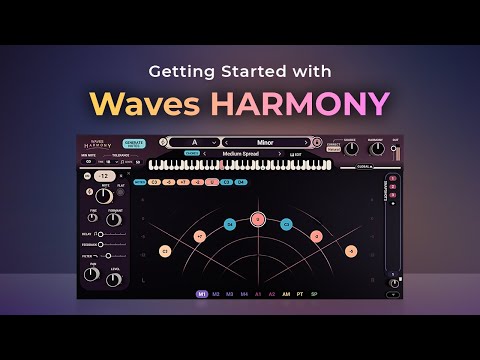
Get Waves Harmony now: https://waves.com/harmony
Learn how to easily craft stunning vocal harmonies, layers and arrangements using Waves Harmony. Harmony offers 3 super-fast workflow choices – automatic harmonies, MIDI-playable harmonies & graphical harmonies – for the studio and live performance.
0:00 Introduction
1:25 #1 Play Harmony: MIDI / Playable Mode
3:27 #2 Auto-Generate Harmony: Automatic Mode
5:42 #3 Draw Harmony: Graphical Mode
7:37 Using the Modulators
Learn how to send MIDI to Waves Harmony in your DAW:https://www.waves.com/support/how-to-send-midi-to-waves-plugins-in-your-daw
Learn more about setting up Waves Harmony’s Chord Mapper from the OVox Getting Started tutorial: https://www.waves.com/getting-started-with-waves-ovox-vocal-resynthesis
Music by fortyforty
Subscribe to our YouTube channel: https://rebrand.ly/wavessubyt
Follow us on Social Media:
Instagram: https://rebrand.ly/wavesig
Facebook: https://rebrand.ly/wavesfb
Twitter: https://rebrand.ly/wavestw
Linkedin: https://rebrand.ly/waveslnkd
Telegram: https://rebrand.ly/wavestl
Visit our website: https://rebrand.ly/wavesaudio
#WavesAudio #NewPlugin #WavesHarmony #NewRelease #VocalHarmony


