Video by Minimal Audio via YouTube
Source
View Minimal Audio on Plugin Boutique
Bring the legendary sound of Harrison's analog heritage into your DAW with the 32Classic Channel Strip. This comprehensive plugin emulates the iconic Harrison 32Classic console, featuring a musical four-band parametric EQ, famous ultra-wide filters, and a versatile dynamics section with three compression modes. With the addition of a Jensen transformer-modeled "Drive" control for warm harmonic saturation, it provides the same professional workflow and sonic character used on some of the world's most influential records.
Cluster Delay – Tap Sequence Designer
Learn More → https://www.minimal.audio/products/cluster-delay
00:00 Intro
00:30 Tool Tips
00:45 Preset Menu
1:00 Randomize Presets
1:20 Delay Taps
1:41 Delay Time
2:10 Feedback
2:51 Analog Mode
3:00 Crossfeed
3:15 Spread
3:45 Crossfeed Continued
4:19 Sync
4:49 Spacing
5:26 Ramp
5:39 Scatter
6:18 Filters
6:46 Combining Sections
7:25 Snap
8:01 FX Overview
9:17 FX Routing
11:09 Auto Ducker
12:41 Dry Wet
12:56 Output & Clipper
13:24 Input & Send Mode
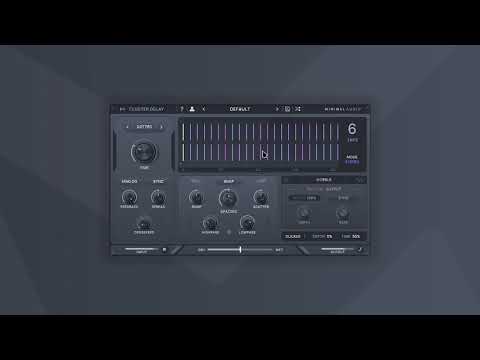
Introducing Cluster Delay, a delay plugin with a personality. Create unique musical effects that blend seamlessly into your tracks.
Cluster Delay’s easy-to-use interface allows you to ramp, space, and scatter up to eight delay taps in time. Choose from six effects to nuance your delays with effortless control.
Transform any dry sound into expansive spaces using integrated diffusion or chorus to create massive reverb-type effects.
Follow Us:
https://www.instagram.com/minimal.audio/
https://www.facebook.com/minimalaudioco/
https://twitter.com/minimal_audio


