Video by Native Instruments via YouTube
Source
View Native Instruments on Plugin Boutique
Bring the legendary sound of Harrison's analog heritage into your DAW with the 32Classic Channel Strip. This comprehensive plugin emulates the iconic Harrison 32Classic console, featuring a musical four-band parametric EQ, famous ultra-wide filters, and a versatile dynamics section with three compression modes. With the addition of a Jensen transformer-modeled "Drive" control for warm harmonic saturation, it provides the same professional workflow and sonic character used on some of the world's most influential records.
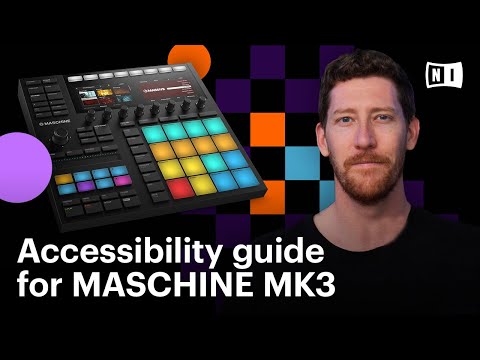
Learn how to use the latest accessibility tools in MASCHINE MK3 for visually impaired users. Discover the new Accessibility Helper, a new program that runs alongside the MASCHINE software, allowing users to hear the buttons that they are selecting on the MASCHINE MK3 hardware. Users can also see the names of the buttons they are using in an enlarged text size on their screen.
Brian Kullas will share how to use these new features from start to finish, from connecting the hardware to sampling, arranging, and exporting.
The Accessibility Helper is also available in MASCHINE+ in controller mode.
Discover MASCHINE: https://www.native-instruments.com/products/maschine/production-systems/maschine/?utm_source=youtube&utm_medium=social&utm_campaign=how_to_use_accessibility_features_in_MASCHINE_MK3
Learn more about the Accessibility Helper: https://www.native-instruments.com/en/specials/ni-accessibility-helper/?utm_source=youtube&utm_medium=social&utm_campaign=how_to_use_accessibility_features_in_MASCHINE_MK3
Learn more about accessibility features at Native Instruments: https://blog.native-instruments.com/accessibility/?utm_source=youtube&utm_medium=social&utm_campaign=how_to_use_accessibility_features_in_MASCHINE_MK3
Discover accessibility features in KOMPLETE KONTROL: https://www.youtube.com/watch?v=ZqHY7lS4B4c
Video Transcript: https://www.native-instruments.com/en/specials/ni-accessibility-helper/maschine-accessibility-video-transcript/?utm_source=youtube&utm_medium=social&utm_campaign=how_to_use_accessibility_features_in_MASCHINE_MK3
Chapters
00:00:00 – Intro
00:01:11 – Connecting the hardware
00:02:45 – Getting the Tools
00:08:11 – The Accessibility Helper
00:11:23 – Browsing & Loading
00:17:26 – Recording A Pattern
00:27:56 – Keyboard & Chord Mode
00:42:00 – Sampling
00:50:52 – Adding Effects
00:57:54 – Automation
00:59:42 – Arranging
01:06:57 – Mixing
01:10:18 – Exporting
#NativeInstruments #maschine #accessibility
Subscribe to our YouTube channel
https://www.youtube.com/user/NativeInstruments?sub_confirmation=1
Follow us on:
Instagram: https://www.instagram.com/nativeinstruments
Facebook: https://www.facebook.com/NativeInstruments
Twitter: https://twitter.com/ni_news
For more than 25 years, Native Instruments has been at the heart of musical innovation. We’ve created communities, pushed technological boundaries, and opened new creative horizons for amateurs and professionals alike. Today, driven by our mission to make music creation more inclusive and accessible, NI’s hardware, software, and services including MASCHINE, TRAKTOR, and KOMPLETE bundles, provide fully-integrated solutions for musicians, producers, and DJs of all genres and levels of experience.
For more info, visit our website: https://www.native-instruments.com/?utm_source=youtube&utm_medium=social&utm_campaign=youtube_description


