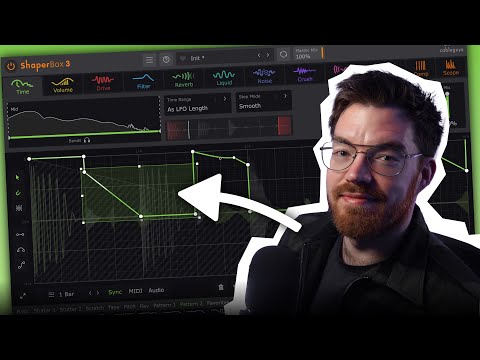
Video by Cableguys via YouTube
Source
View Cableguys on Plugin Boutique
Elevate your mixing workflow with the SSL autoSeries Bundle, a powerhouse collection of Solid State Logic’s most intuitive processors. Featuring the acclaimed Vocalstrip 2 and Drumstrip, this bundle provides the essential tools to achieve professional-grade clarity and punch with legendary SSL sonic character.
We just updated ShaperBox! Here’s what’s new in v3.5.1:
✅ Each Shaper has a Favorites area to store your custom VolumeShaper sidechain curves, favorite TimeShaper patterns, or any LFO wave you like.
✅ Use the Main Menu’s new Startup Preset option to always start ShaperBox with your favorite Shaper setup – for example, your go-to VolumeShaper ducking setup.
✅ LFO Copy/Paste now works globally across all instances of ShaperBox and FilterShaper XL.
✅ MIDI Switch visuals have been improved.
✅ We’ve added FXP Save/Load to the Main Menu of ShaperBox 3, HalfTime, Kickstart 2 and FilterShaper XL.
Own ShaperBox 3? Log in to get the update: https://www.cableguys.com/login
Or try the demo: https://www.cableguys.com/shaperbox