Video by NektarTechnology via YouTube
Source
View NektarTechnology on Plugin Boutique
Bring the legendary sound of Harrison's analog heritage into your DAW with the 32Classic Channel Strip. This comprehensive plugin emulates the iconic Harrison 32Classic console, featuring a musical four-band parametric EQ, famous ultra-wide filters, and a versatile dynamics section with three compression modes. With the addition of a Jensen transformer-modeled "Drive" control for warm harmonic saturation, it provides the same professional workflow and sonic character used on some of the world's most influential records.
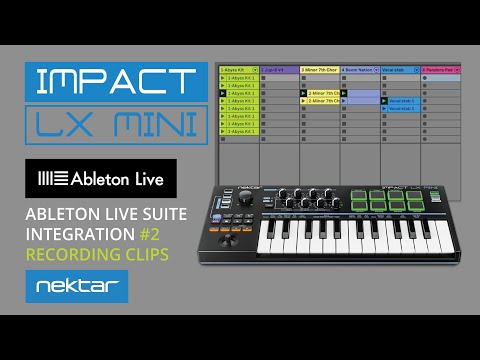
In chapter #2 of the Ableton DAW integration tutorial we are covering the workflow how to record and tweak Clips in Ableton Live Suite from LX Mini: Use the dedicated [Clips] button to access and control these features directly from the pads.
With [Clips] mode, you can create a track structure from the hardware and record it straight into Ableton. The workflow includes switching Arrange and Session view, moving between Clips and Scenes modes – all triggered and controlled from LX Mini.
Please note: Advanced integration features are enabled using the LX Mini Max4Live plugin (requires Max4Live, which is only included with Ableton Live Suite). An overview of the advanced features, the Clips workflow and Setup is covered in the other videos in this series:
1. Integration Overview. https://youtu.be/aceHDteeFkM
2. Recording Clips: (This video)
3. Using Scenes: https://youtu.be/QfepqzamlGs
4. Setup DAW integration: https://youtu.be/CPGhYCiOk8w
Nektar DAW Integration Software is available upon product registration in your Nektar user account. Here’s a link: https://nektartech.com/my-account/
More information about Impact the LX Mini USB MIDI controller keyboard:
https://nektartech.com/impact-lx-mini/
CHAPTERS
00:00 Intro
00:06 View Clip contents and record
00:11 Clip Record Mode
00:17 Track selection
00:41 Auto-Trim Recorded Clips
00:48 Quantize Clips
01:06 Clip options: Length, Stop, Re-Start
01:16 Clip Overdub
01:45 Record and select Clips from the pads
02:23 Access additional Clip banks
02:32 Duplicate Clips
02:41 Delete Clips
02:50 Halve Clip length
03:11 Clip Recording Cheat Sheet (shortcut overview)
Trial versions on Plugin Boutique


