Video by Waves Audio via YouTube
Source
Sponsored:
Get professional-grade mixing tools for zero cost with the eaReckon FREE87 Series. This essential bundle features a gate, compressor, equalizer, and limiter, all derived from the acclaimed ANALOG87 series. Designed with a "ears-first" philosophy, these plugins provide analog-style warmth and smooth performance without complex interfaces—perfect for adding high-quality, transparent processing to any production.
Get StudioRack FREE: https://www.waves.com/studiorack
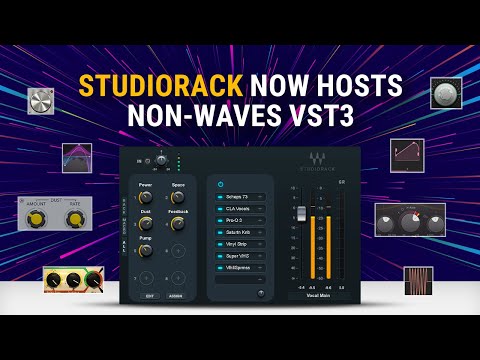
With the latest update, the Waves StudioRack plugin chainer can now host VST3 plugins, by any brand, in addition to Waves plugins.
StudioRack lets you unlock your plugins’ full creative potential. Learn how to assign all your Waves and non-Waves VST3 plugins to macros, turn any plugin into a multiband tool, and create instant parallel chain splits.
0:00 Intro
1:09 How to Scan for VST3s
1:47 Using Macros
4:10 Applying Parallel and Multiband Splits
7:34 Saving and Transporting Chains
7:42 Summary
Plugins used in this video:
StudioRack plugin chainer – FREE: https://www.waves.com/plugins/studiorack
Waves Tune Real-Time: https://www.waves.com/plugins/waves-tune-real-time
F6: https://www.waves.com/plugins/f6-floating-band-dynamic-eq
R-Vox: https://www.waves.com/plugins/renaissance-vox
R-DeEsser: https://www.waves.com/plugins/renaissance-deesser
H-Delay: https://www.waves.com/plugins/h-delay-hybrid-delay
Doubler: https://www.waves.com/plugins/doubler
Subscribe to our YouTube channel:
https://rebrand.ly/wavessubyt
Follow us on Social Media:
Instagram: https://rebrand.ly/wavesig
Facebook: https://rebrand.ly/wavesfb
Twitter: https://rebrand.ly/wavestw
Linkedin: https://rebrand.ly/waveslnkd
Telegram: https://rebrand.ly/wavestl
Visit our website: https://rebrand.ly/wavesaudio
#WavesAudio #StudioRack


